
Launching your startup is exciting — but no business idea thrives without a strong digital presence. Your website isn’t just a pretty brochure; it’s your conversion engine. A conversion-ready startup website can turn casual visitors into paying users and long-term brand advocates.
In this guide, you’ll learn proven strategies, tools, and design principles to create a website that doesn’t just “look good” but actually sells. Whether you’re starting from zero or reinventing your current site, this startup website guide will walk you through planning, designing, and optimizing for real growth.
Why a Conversion-Ready Website Matters for Startups
Many startups spend months refining their product — yet ignore how customers first experience it online. A conversion-ready startup website helps in:
-
Building trust with potential investors and early customers.
-
Communicating your value proposition instantly.
-
Optimizing website traffic for lead generation and sales.
-
Creating a scalable digital foundation for growth.
Without a strategic design focused on conversions, even the best product can go unnoticed. Let’s fix that.
Step 1: Define Your Startup’s Core Goals
Before touching any design tools, outline the purpose of your website. Ask:
-
What’s the primary action I want users to take? (Sign up, book a demo, purchase, subscribe).
-
Who is my target audience?
-
What problem do they want solved?
Documenting these answers clarifies your messaging and defines your structure.
Set SMART Conversion Goals
Use the SMART framework — Specific, Measurable, Achievable, Relevant, Time-bound — for clarity.
For example:
“Increase lead form submissions by 30% within 3 months.”
Having concrete goals ensures your website conversion optimization process stays data-driven, not guesswork.
Step 2: Plan the Structure and User Journey
A smart startup web design starts with an intuitive structure. Visitors should instantly know where to click next.
Build a Simple, Logical Sitemap
Focus on key pages:
-
Home Page: Clearly communicate your value proposition.
-
About Page: Tell your origin story and mission.
-
Product/Service Pages: Highlight benefits and CTA buttons.
-
Pricing Page: Be transparent and conversion-focused.
-
Contact Page: Make inquiries effortless.
Map the Customer Journey
Understand how users move through each stage — Awareness → Interest → Consideration → Conversion. Design specific CTAs for each phase, such as “Learn More,” “Get Started,” or “Book a Demo.”
Step 3: Craft a High-Converting Design
Design plays a huge role in credibility. In fact, 75% of users judge a company’s trustworthiness based on web design.
Prioritize User-Centered Design
Keep it clean, responsive, and accessible. A conversion-ready startup website should load fast, adapt to mobile screens, and reduce friction during navigation.
Visual Hierarchy and CTA Placement
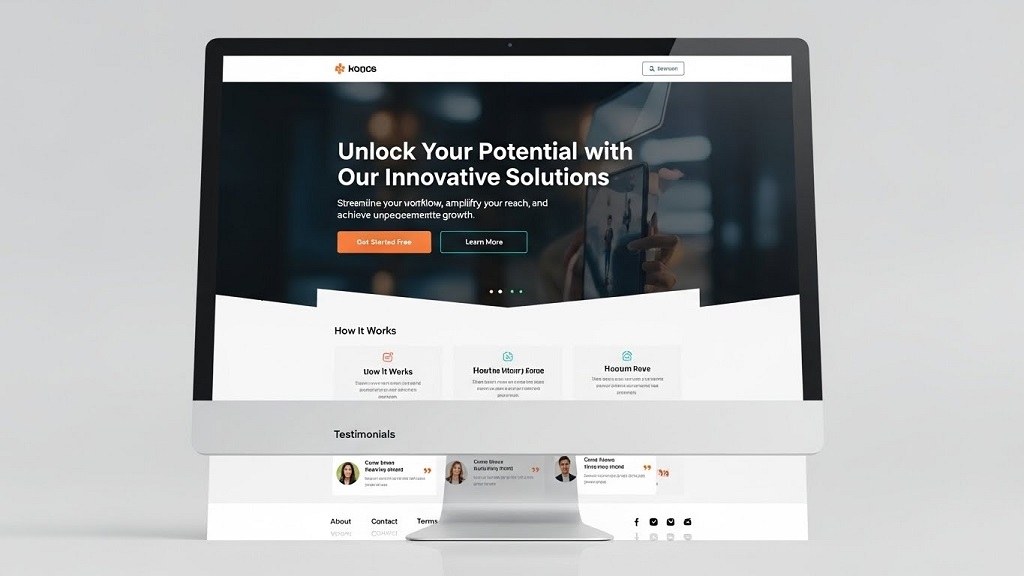
Use visual hierarchy to guide attention — bold headlines, contrasting colors on CTAs, and generous white space. Always place your main CTA above the fold and repeat it at logical points.
Pro Tip: Use consistent tones for branding but keep CTA buttons contrasting (e.g., a warm orange on a cool blue background).
Optimize for Mobile First
Over 60% of web traffic now comes from mobile. Test every element — forms, buttons, menus — on various devices to ensure consistent performance.
Step 4: Design with SEO in Mind
Your website must not only convert humans but also attract search engine visibility.
On-Page SEO Principles
-
Create keyword-rich, natural content (primary: conversion-ready startup website).
-
Use secondary keywords like startup website guide and startup web design within H2/H3 headings.
-
Write descriptive titles and meta tags.
-
Optimize image alt text.
Site Speed and Technical SEO
Fast-loading pages improve ranking and lower bounce rates. Compress images using tools like TinyPNG or Squoosh and implement caching with Cloudflare or LiteSpeed.
Schema Markup for Better Visibility
Add organization and product schema to help Google understand your business, increasing your chances of enhanced search results.
Step 5: Implement Persuasive Copywriting
Great design attracts; great copy converts.
Clear Value Proposition
Your homepage headline must instantly communicate:
What you offer, who it’s for, and how it helps.
For example:
“Smarter invoicing tools for growing startups — send, track, and get paid 2x faster.”
Build Trust with Social Proof
Add testimonials, trust badges, or user success stories. Real-world feedback helps reduce friction during decision-making.
Use Benefit-Driven Language
Emphasize benefits over features. Instead of “Our CRM has data automation,” write “Save 10+ hours weekly with automated contacts and smart reminders.”
Step 6: Build for Conversions (Optimization Techniques)
Once your website launches, keep testing. Conversion optimization is an ongoing process.
A/B Testing
Experiment with variations in headlines, CTA placements, or page layouts. Use tools like Google Optimize or VWO to find winning combinations.
Use Analytics and Heatmaps
Integrate tools like Google Analytics 4 and Hotjar to track how users scroll, click, and engage. Identify drop-off points and improve them.
Simplify Your Forms
Each additional field can reduce conversions by up to 20%. Keep forms short and relevant — name, email, and one CTA button is often enough.
Step 7: Integrate Lead Magnets and Email Funnels
Offering value upfront establishes credibility. Consider:
-
Ebooks or whitepapers related to your niche.
-
Free trials or demos with mini tutorials.
-
Exclusive email content or startup growth tips.
This creates a continuous loop of engagement and boosts website conversion optimization over time.
Step 8: Leverage Automation and Tracking
Use marketing automation to nurture leads without manual effort. Systems like HubSpot, ActiveCampaign, or Mailchimp let you:
-
Track user behavior.
-
Automate email responses.
-
Score leads based on interaction levels.
Proper automation transforms your website into a 24/7 sales machine.
Step 9: Measure, Refine, and Scale
Your first website version is a starting point — not the finish line.
Track Key Metrics
Pay attention to:
-
Traffic sources
-
Bounce rate
-
Conversion rate
-
Average session duration
-
Funnel drop-offs
Continuous Optimization
Iterate monthly using data. Refresh landing pages, update visuals, and rewrite CTAs based on behavior analytics. The fastest-growing startups actively evolve their sites based on insights — not assumptions.
Common Mistakes to Avoid
-
Designing without defining goals.
-
Using jargon-heavy or unclear messaging.
-
Overloading pages with too many CTAs.
-
Ignoring mobile optimization.
-
Skipping A/B and tracking setups.
Avoid these pitfalls to ensure your startup web design drives measurable success.
Final Thoughts
A conversion-ready startup website is your brand’s most powerful asset in the digital age. It converts attention into trust — and trust into growth.
By following this startup website guide, you’re not just building a site; you’re designing a sales funnel, a brand experience, and a business growth channel.
Call to Action
Are you ready to turn your digital presence into a conversion engine? Start applying these strategies today — and if you need professional help creating or optimizing your startup website, reach out to a web design expert who understands growth-driven design.
Your next paying customer should never be more than a few clicks away.
FAQs About Building a Conversion-Ready Startup Website
Q1. What is a conversion-ready startup website?
A conversion-ready startup website is strategically designed to turn visitors into customers through optimized layouts, persuasive copywriting, and seamless navigation.
Q2. How can I improve conversion rates on my website?
Use A/B testing, streamline forms, strengthen CTAs, and implement user feedback tools like Hotjar for ongoing optimization.
Q3. Do I need SEO for my startup website?
Absolutely. SEO drives consistent organic traffic and positions your startup as a credible brand. Combining SEO and conversion optimization yields the highest ROI.
Q4. How much does it cost to build a conversion-ready startup website?
Depending on complexity, tools, and design requirements, costs may range from $1,000 for pre-built templates to $10,000+ for custom builds with backend functionality.
Q5. What platform is best for startup web design?
For most startups, WordPress or Webflow offer flexibility, SEO readiness, and scalability. If you need eCommerce, Shopify or WooCommerce are strong choices.
Related Topics: Cox Modem Blinking Orange? Meaning, Common Causes, and Simple Fixes
Related Topics: Six Common Aerospace Surface Finishing Applications
